
AI flashcard generator
Lecture notes to flashcards in seconds.
The AI flashcard generator that turns any PDF, lecture recording, YouTube video or set of notes into a deck that schedules itself with spaced repetition.
- Decks from notes, PDFs, lectures and YouTube
- Spaced repetition brings cards back on time
- Export to Anki or CSV whenever you like
Used by 200,000+ students · Works in your browser on any device
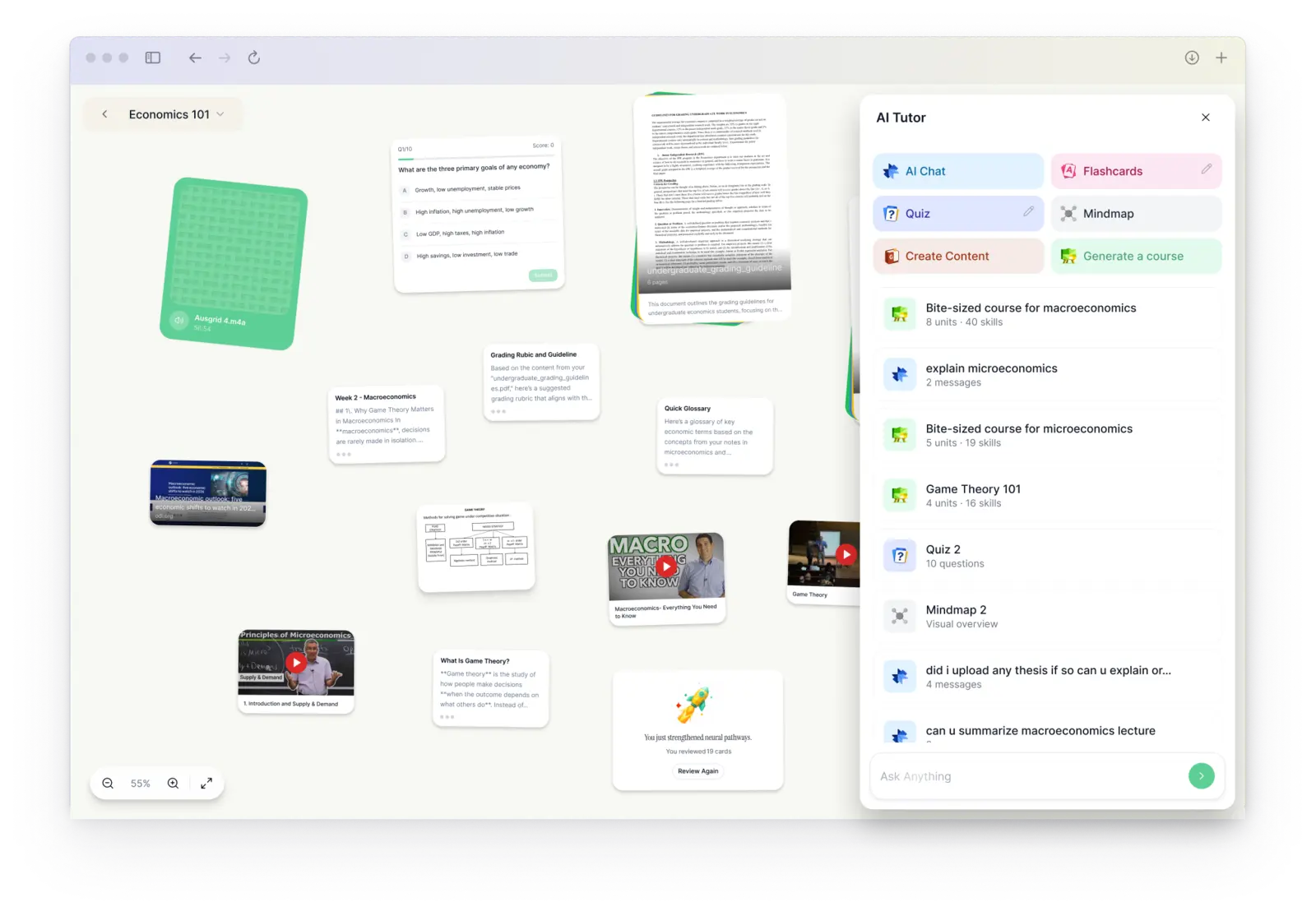












How the AI flashcard generator builds your deck
Upload your lecture notes, a recording, a PDF or a YouTube video. The AI flashcard generator picks out the definitions, facts and concepts worth remembering and writes a question-and-answer card for each one.
Every card goes into a spaced repetition schedule, so the cards you find hard come back sooner and the ones you know come back later. For a change of pace, take a practice quiz built from the same notes.
- Cards from notes, PDFs, slides, recordings and YouTube
- Spaced repetition schedules every review
- Export to Anki, CSV or PDF at any time
Why students switch
Flashcards that actually stick
Flashcards that schedule themselves
Spaced repetition brings each card back right before you forget it. Export decks to Anki or CSV.
Works with every source
PDFs, slides, Word docs, YouTube videos, web pages and audio files, all in one place.
Practice tests with explanations
Quizzes built from your own lectures and readings, with an explanation for every answer.
Galileo, your AI tutor
Ask anything about your course and get answers from your own material, by chat or voice.
Record any lecture
Record live in class or upload audio. Get a full transcript, clear structured notes and a summary.
More ways to study
Mind maps, crash courses, study guides, cheatsheets, AI podcasts and study songs.
Plans around your classes
Study sessions in Google Calendar, plus imports from Notion and Google Drive.
Nothing to install
Works in your browser on any laptop, tablet or phone. Sign up and start in seconds.
How it works
From lecture to exam-ready in three steps
- 1
Record or upload
Record your lecture, or drop in a PDF, slides, a YouTube link or a recording.
- 2
Get your study kit
DueToday writes the notes, then builds flashcards, a practice test and a mind map.
- 3
Study what matters
Review with spaced repetition and ask Galileo whenever something doesn't click.
Student stories
Students study less and remember more
“I used to spend 3 hours making flashcards. Now I paste my lecture notes and DueToday does it in 10 seconds. My GPA went from 2.8 to 3.7.”
“I upload the lecture recording and by the time I get home, I have a full set of notes and quizzes ready. My study sessions used to start with setup. Now they just start.”
“The YouTube to flashcards feature alone is worth it. I convert entire revision playlists into study sets instantly.”
Questions
How do I turn lecture notes into flashcards?
Upload or paste your notes, or record the lecture, and DueToday generates a deck in seconds. Then start reviewing with spaced repetition.
What is spaced repetition?
A study method that shows each card again just before you'd forget it. DueToday schedules it for you, so you review less and remember more.
Can I export the flashcards to Anki?
Yes. Export any deck to Anki, CSV or PDF, or keep studying it in DueToday.
What can I upload?
Lecture recordings and audio files, PDFs, slides, Word documents, YouTube links and web pages. You can also record a lecture live or paste your own notes.
Can I record lectures live?
Yes. Record in your browser on any device, and DueToday turns the recording into a transcript, notes, flashcards and a practice test.
Can I export my flashcards?
Yes. Export any deck to Anki, CSV or PDF, or study it in DueToday with spaced repetition.
Is there a free trial?
Yes. Every account starts with a free trial of DueToday Pro, with full access to every feature.
Your next lecture, done.
Notes, flashcards, practice tests and an AI tutor from everything you study.
Start your free trial →